
Chrome extension · Closed beta
Close tabs without losing why they mattered.
Browser Memory automatically saves useful context from webpages you close, so you can find and reopen them later. Everything stays on your device.
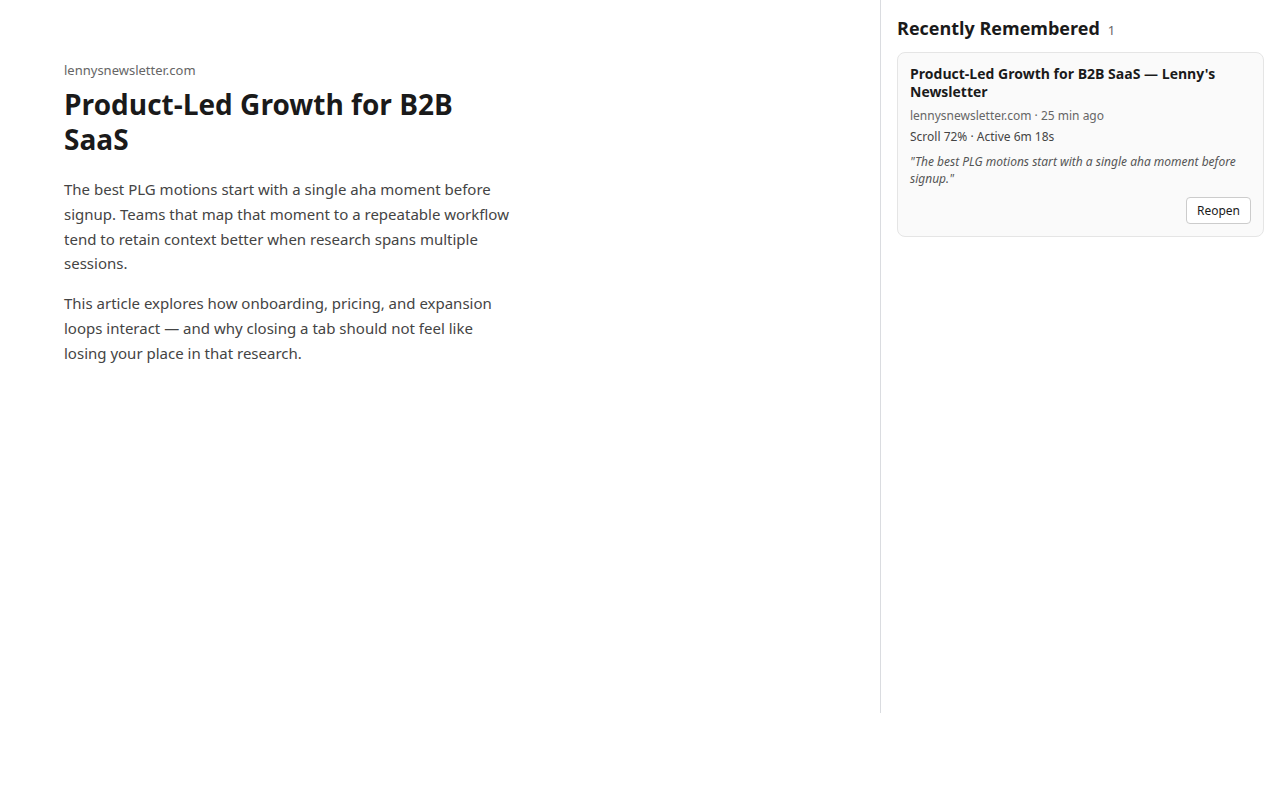
See it in action
Passive capture while you browse. No prompts on the page you are reading.
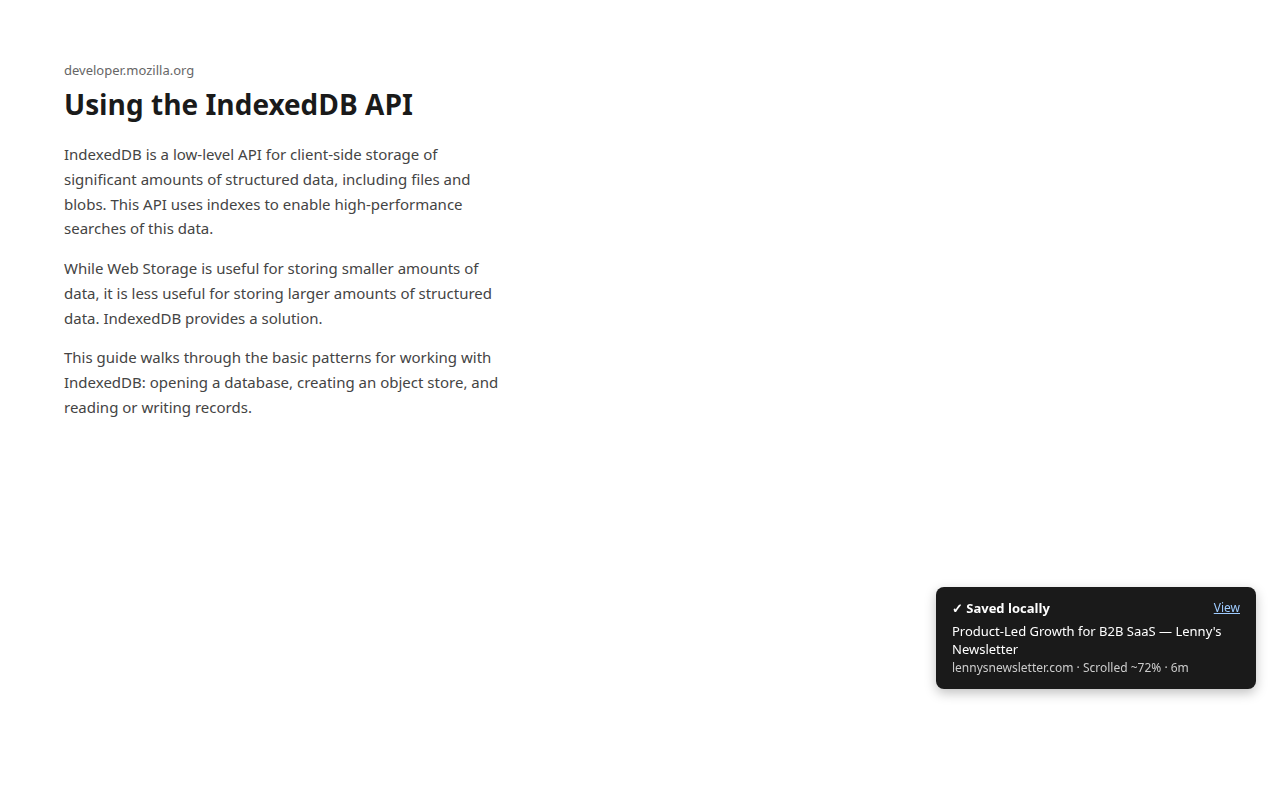
A brief “Saved locally” notice may appear on another open tab — optional, and easy to miss. 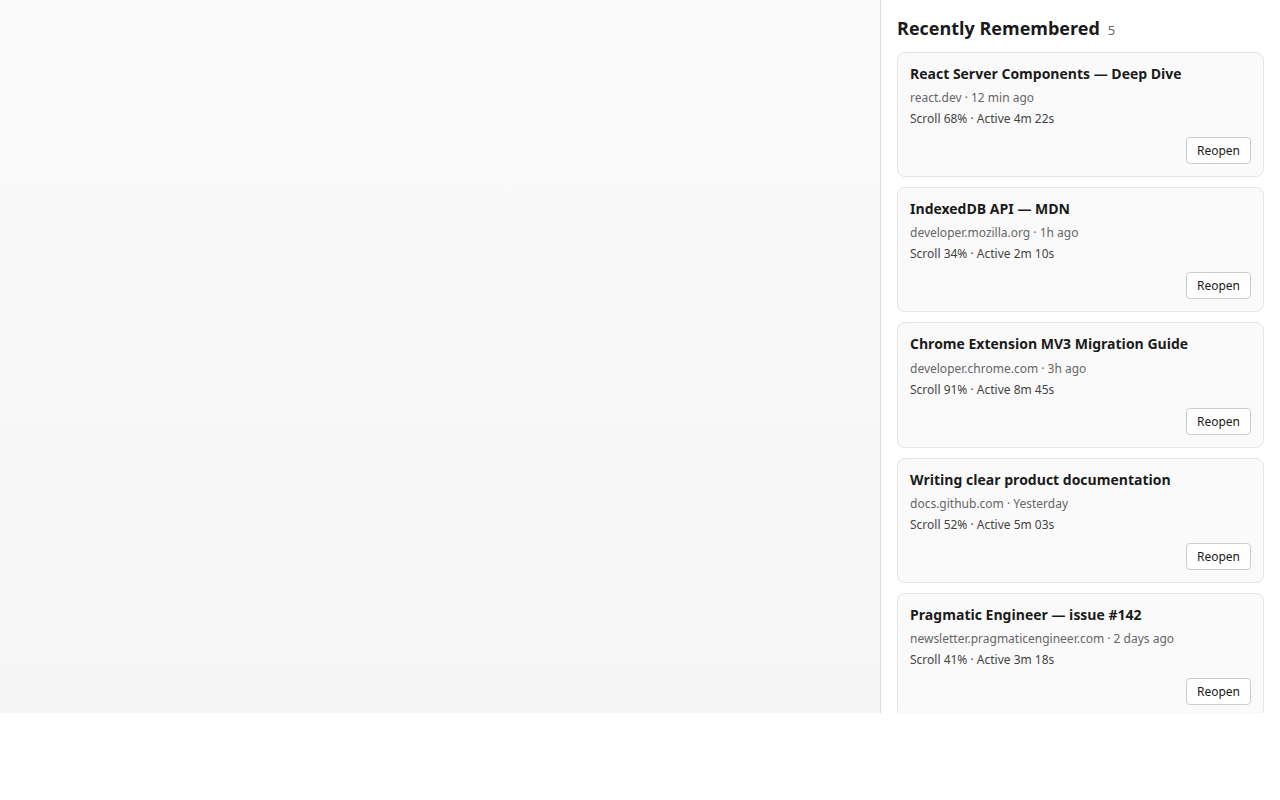
Your list grows as you close tabs. Search, filter, or reopen when you need them.
On first install, a short guided close trial lets you close one low-stakes tab and verify it appears in your list before you rely on it for anything important.
How it works
Three steps. Under a minute to understand.
-
Close a supported webpage
When you are done with a normal page, close it like always.
-
Context saves on your device
Title, domain, time on page, scroll when available, and any text you highlighted.
-
Find and reopen it later
Open Recently Remembered from the toolbar — search, filter, or scan recent closes.
Your data stays on your device
No account. No cloud sync. No analytics in the current beta build.
- Local only Captures stay in your browser — not on our servers.
- You control it Export or delete everything anytime in extension Settings.
- No history access We do not read your Chrome browsing history.
Closed beta
A small invite-only group is testing whether Browser Memory helps you close tabs with more confidence — and find them again when it matters.
Common questions
-
Can you see my browsing history?
No. Browser Memory does not use Chrome's history permission. It only saves pages you close while the extension is installed — URL, title, scroll (when available), time on page, and optional highlighted text.
-
Does my data leave my device?
No. Captures stay in your browser only. The developer does not receive your browsing data during normal use.
-
Which tabs are remembered?
Normal http and https webpages you close or that Chrome discards (Memory Saver) while the extension is enabled. Chrome internal pages, New Tab, extension pages, and the Web Store are not captured.
-
Does it restore scroll position?
No. Reopen opens the URL in a new tab from the top. The capture card shows where you were reading; the page itself does not jump there.
-
Is this a tab manager?
No. Tab managers organize tabs you still have open. Browser Memory is for tabs you have already closed — like Chrome's "Recently closed," but with reading context.